Audit logs  

Audit logs complement data lineage and change requests by answering what was edited or accessed, by whom and when, at a fine-grained level.
To browse the central event log for write operations, open a database in the UI and select Changes → Events → Write events. The newest events are shown first and grouped by date. You can:
filter by space, branch, event type, table, user, or date range
sort events
group consecutive events that affect the same record
open the affected record when a link is available
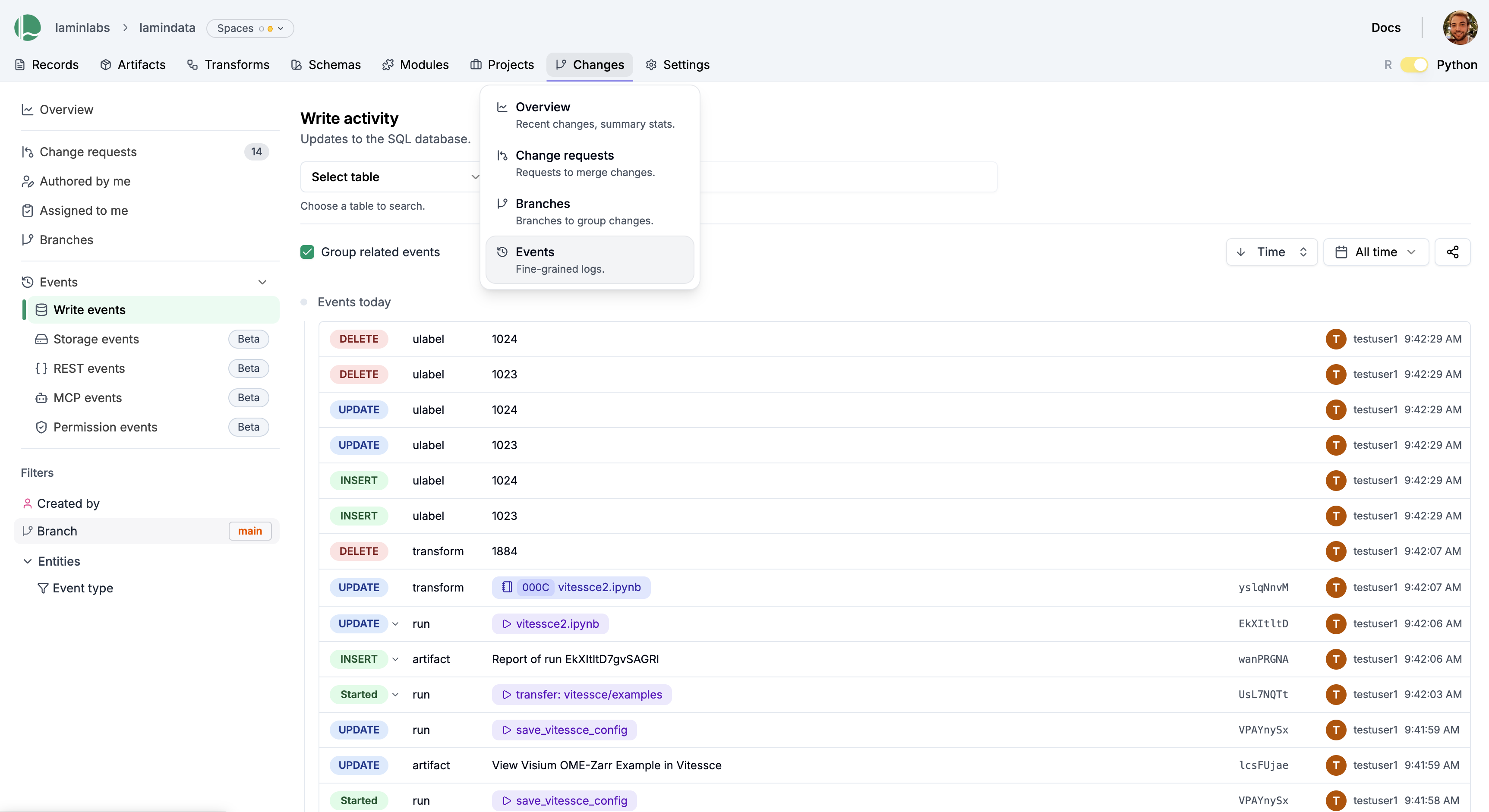
Events are read-only and their visibility is governed by a user’s access permissions to the database.
Database administrators can see additional event logs to review:
Permissions: database, space, and team access changes
REST: REST API requests
MCP: MCP tool calls
Storage: S3 objects activity (in case audit collection is configured)
REST and MCP logs do not include direct SQL reads. Storage auditing covers configured S3 buckets, not Google Cloud Storage or local files. Authentication events are logged internally but are not yet available as customer sign-in history.
REST, MCP, and storage views update daily. Recent activity may not appear yet.
Database administrators can retrieve REST, MCP, and storage events through the API; see REST. For review exports or retention requirements, contact security@lamin.ai.