Integrations  

Agent harnesses docs
Claude Code db 2.8
GitHub Copilot db 2.9
Cursor db 2.11
Codex db 2.12
Storage docs
Read & write:
Local file systems
AWS S3
S3-compatible storage services, e.g., MinIO & Cloudflare R2
Google Cloud Storage
Read only:
http/https
Hugging Face
Ontologies & registries
Git docs
Auto-sync code with git.
Note taking
Notion → docs
Obsidian → see below
VSCode → see below
Organizing markdown notes in the development directory.
Place your notes into folders in your development directory and use your favorite editor to edit them:
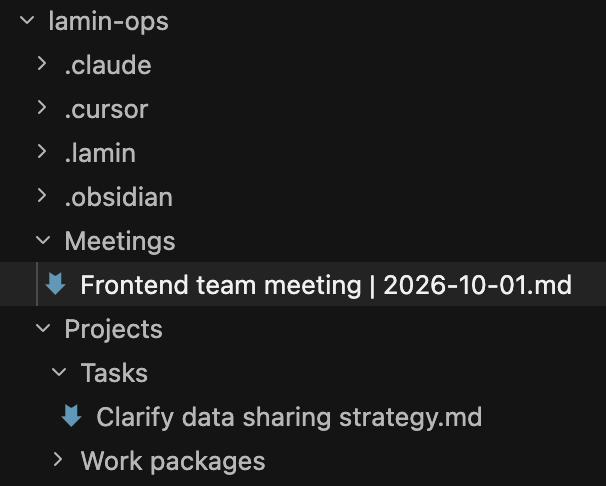
To sync a notes file to the database, run:
lamin save <topic>/<my-note.md>
To load a it back, run:
lamin load https://lamin.ai/laminlabs/lamindata/record/mNDJgWFrkWQVW3ox
Computational notebooks docs
You can call ln.track() and ln.finish() (or the R versions) in four notebook types:
Jupyter
Marimo
R markdown
Quarto
For Jupyter notebooks, source code is stored in .py format and run reports as html.
MLOps
Workflow managers
Tables & arrays
pyarrow&polars: see theengineargument ofopen()and the arrays guidetiledbsoma: inhouse guide or cellxgeneduckdb: via parquet files, see rxrx
Visualization
Vitessce: see the vitessce guide
DataVisyn: reach out for custom visualization solutions
ELN systems
Benchling: sync schema and data from your registries within our team/enterprise plan